What if online teachers stopped rearranging their teaching around meeting platforms?
Dreamroom is an AI-Native virtual classroom environment that intelligently adapts to an instructor's lesson plan, in order to improve the learning experiences of their students.

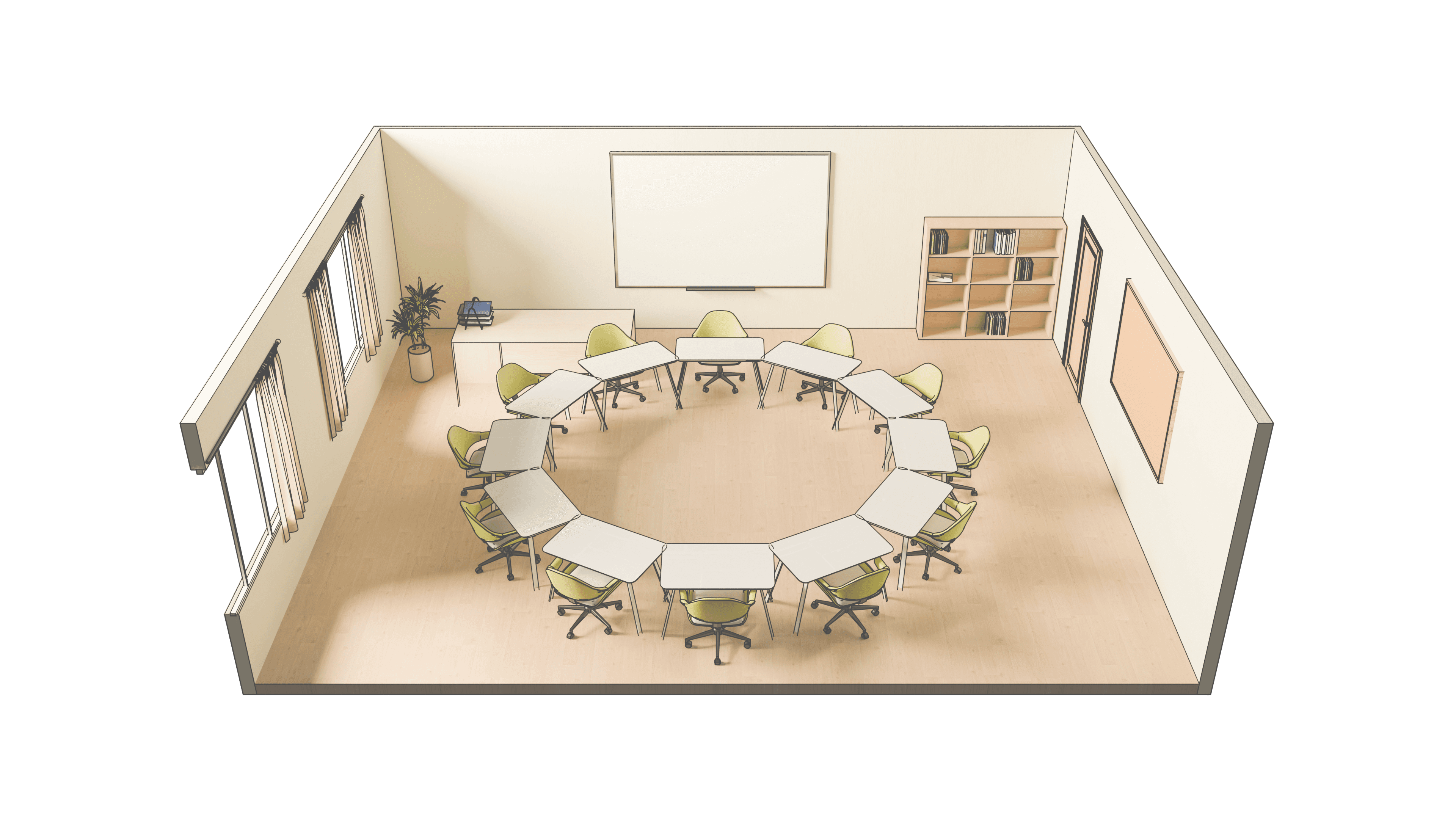


Dreamroom
PROBLEM
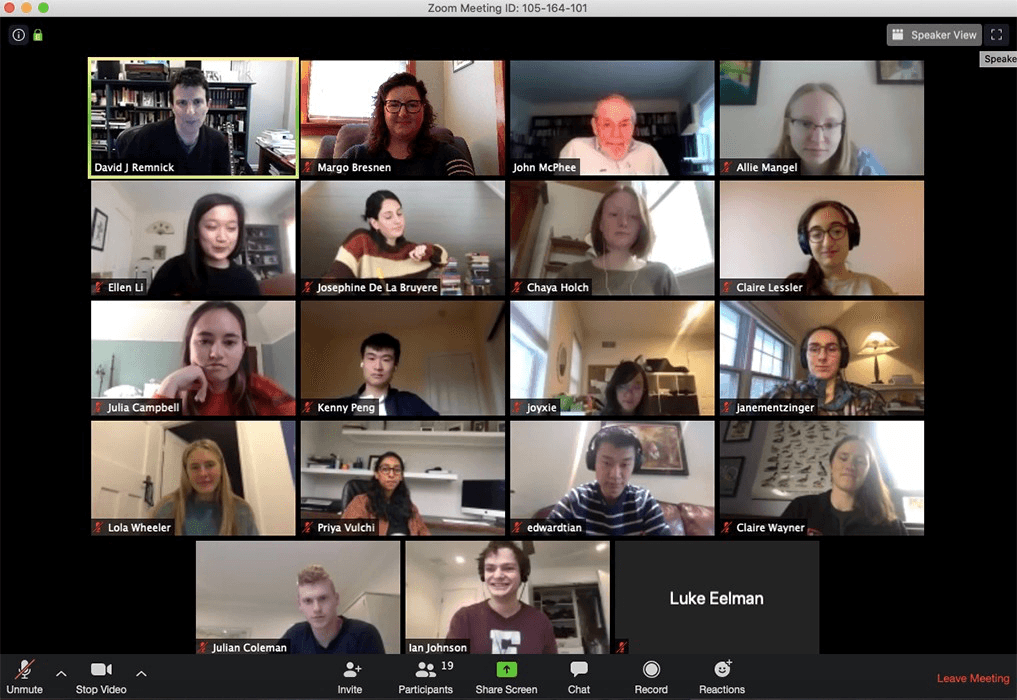
Online meeting tools are made for meetings, not for teaching and learning.
Instructors with teaching techniques that thrive in these environments…


… are expected to teach in this environment:
RESEARCH
Meeting tools aren't only introducing technical challenges for instructors and students, they're re-shaping their social dynamics.
Interviews with 5 students in online classes, 3 instructional designers with online experience, and 2 professors of online classes uncovered connected pain points shared between students and instructors:
Students are feeling
Isolated from Peers

"I had a lot of breakout rooms where nobody would talk. They were very awkward, no work got done."
"Our discussion posts don’t initiate real conversation, it feels like people just do them for credit."
Instructors are feeling
Dissatisfied with Student Engagement

"My students rarely speak up. If my students do want to speak up online, they always have to interrupt."
"I tried really hard to think through how I can replicate the in-person experiences that my students have… that was very complicated on Zoom…"¹
SHIFT OF DIRECTION
In order to help students, we need to support their instructors in creating more engaging lessons.
I spoke with experts in the field of online active learning: Kelly Scholl (Director) and Zach Carnagey (Consultant) to understand more about active learning and its value in student retention and a sense of belonging.
In a physical classroom, the instructor can re-arrange tables and chairs or have students split into groups on the fly for activities. This kind of flexibility supports active learning — an approach where students engage directly with the material through discussion and hands-on work, rather than passively listening to a lecture. In a virtual room, these actions become difficult or impossible.
INSIGHT
The interface shouldn't shape the lesson; the lesson should shape the interface.
GOAL & DEFINING FEATURES
How might we create a tool that makes organizing active teaching exercises even easier online than it is in-person?
Dreamroom asks whether 2 features can make active learning online as easy to set up as it is in a physical classroom:
Use 3D environments to help students and instructors feel a shared sense of presence.
Use AI to remove friction for instructors, while maintaining their teaching autonomy.
VISUAL LANGUAGE
I wanted the final design to feel light and natural, like a Montessori School.
The Montessori aesthetic favors natural materials, soft neutral tones, and open, uncluttered space over rigid rows and heavy structure.
I borrowed that same logic for Dreamroom. This makes for a layout that feels calm and self-directed rather than locked into a grid.


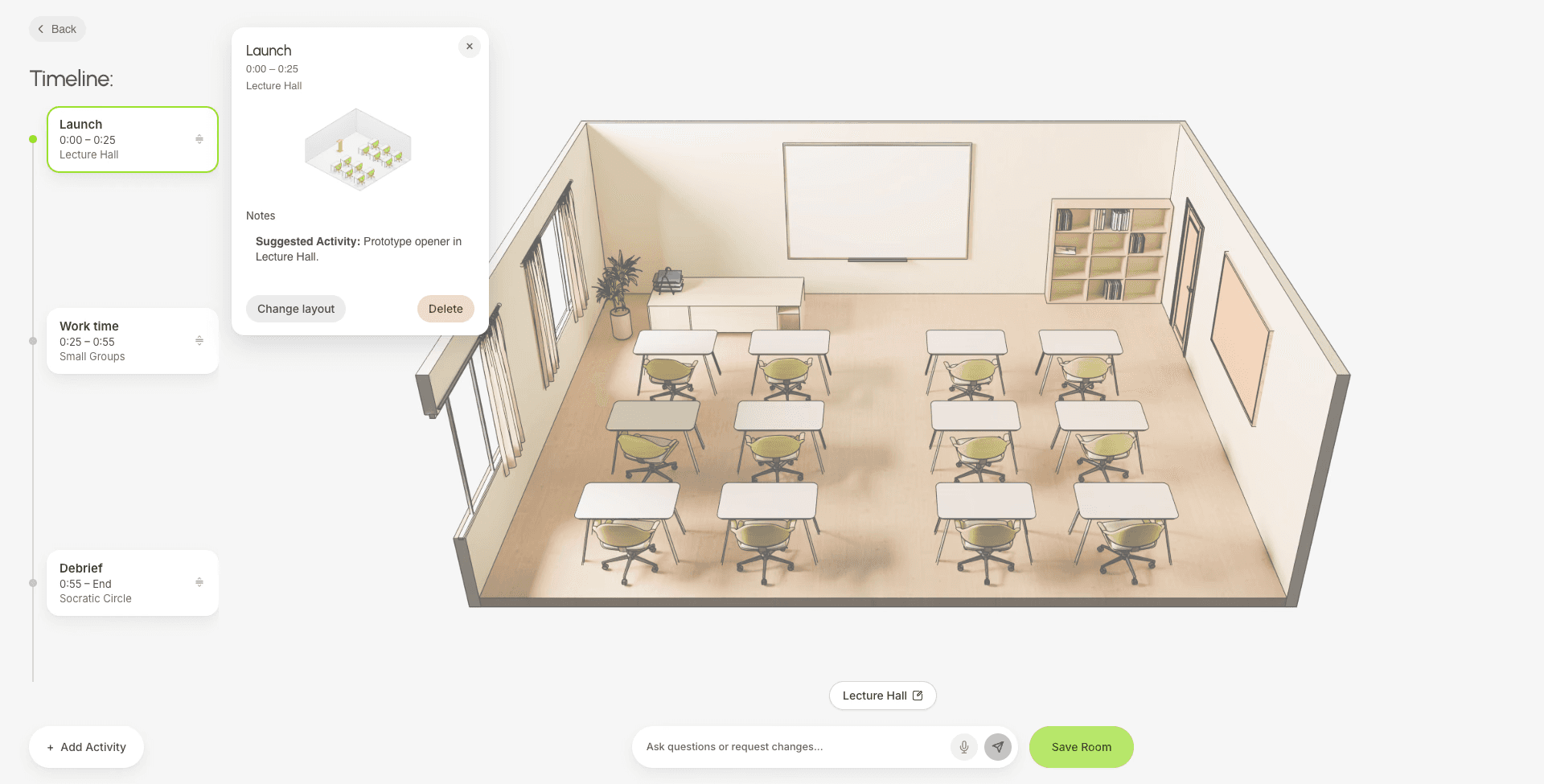
(Left) Early Iteration
Timeline Builder
(Right) Final Design
Timeline Builder
SOLUTION 1/5
Creating a Room
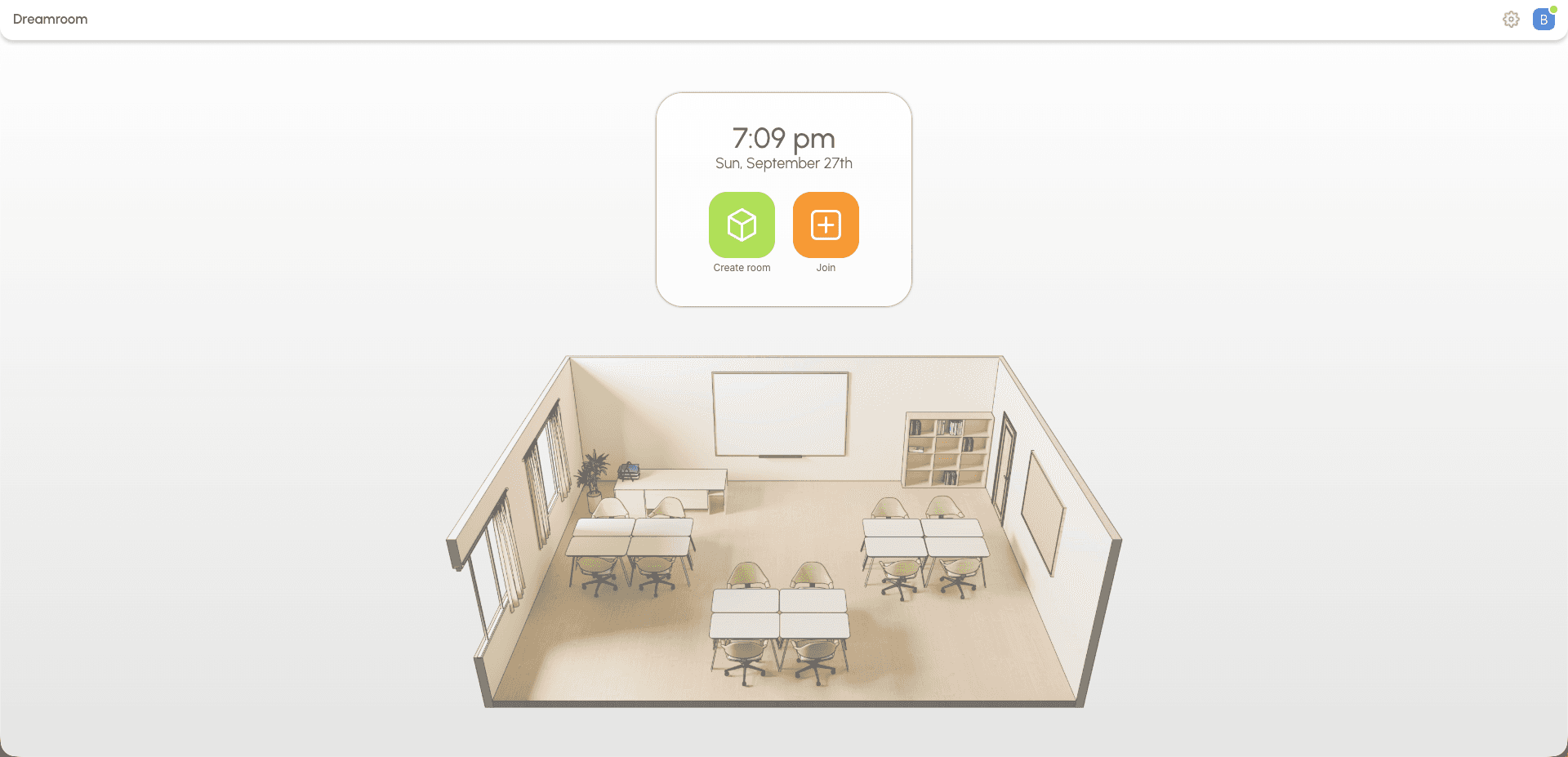
Dr. Bennett's virtual epidemiology lab begins in 30 minutes and she would like to translate her lesson plan into a class session by 10:00 am.
She opens Dreamroom and selects 'Create Room'.
1. Create Room: opens the Room Creation Wizard.
2. Load Room: opens a previously created room.
SOLUTION 2/5
Providing Context
In order to work with her to tailor the room, Dreamroom needs to gather some basic details about what her class session will look like.
Dr. Bennett's activity for the day is a debate: students will be split into two sides and research then argue whether eating eggs is good or bad for your health.
The Wizard's questions were devised from user testing with instructors and instructional designers.
In a previous iteration, the instructor was taken straight to a chatbot interface. However, I found that users had to waste time explaining the same basic details with every new conversation and confirming the AI understood.
These basic details included:
1. Number of students
2. Length of class session
3. Topic of discussion
4. Activities of interest (room layouts)
SOLUTION 3/5
A Quick, Tailored Chat
Asked how developed her lesson plan is, Dr. Bennett says it's mostly locked in. This shifts Dreamroom's AI to a quicker, confirmatory tone; just one multiple-choice question, and her answer is enough for the AI to build the room.
The slider sets both the AI's tone and how long the conversation runs. This lets the instructor talk to the AI only as long as they need, and opt out of assistance entirely if they don't want it.
Early Concept (left side): Verbose and exploratory. A collaborative pedagogical assistant that asks open questions and proposes activities.
Locked In (right side): Brief and confirmatory. Just one multiple-choice question to confirm the plan.
SOLUTION 4/5
Final Edits
Her room generates as a visual timeline that she can edit manually by sliding/adding elements or refine via AI chat. Here, she chooses to add a 10-minute opening lecture, and the AI intelligently shifts the rest of the plan to follow suit.
Dreamroom features 9 room layouts, based on real active teaching methods.
Dr. Bennett's class session ends up using 3 of them:
01 Lecture

Used to open class and introduce the activity.
02 Groups
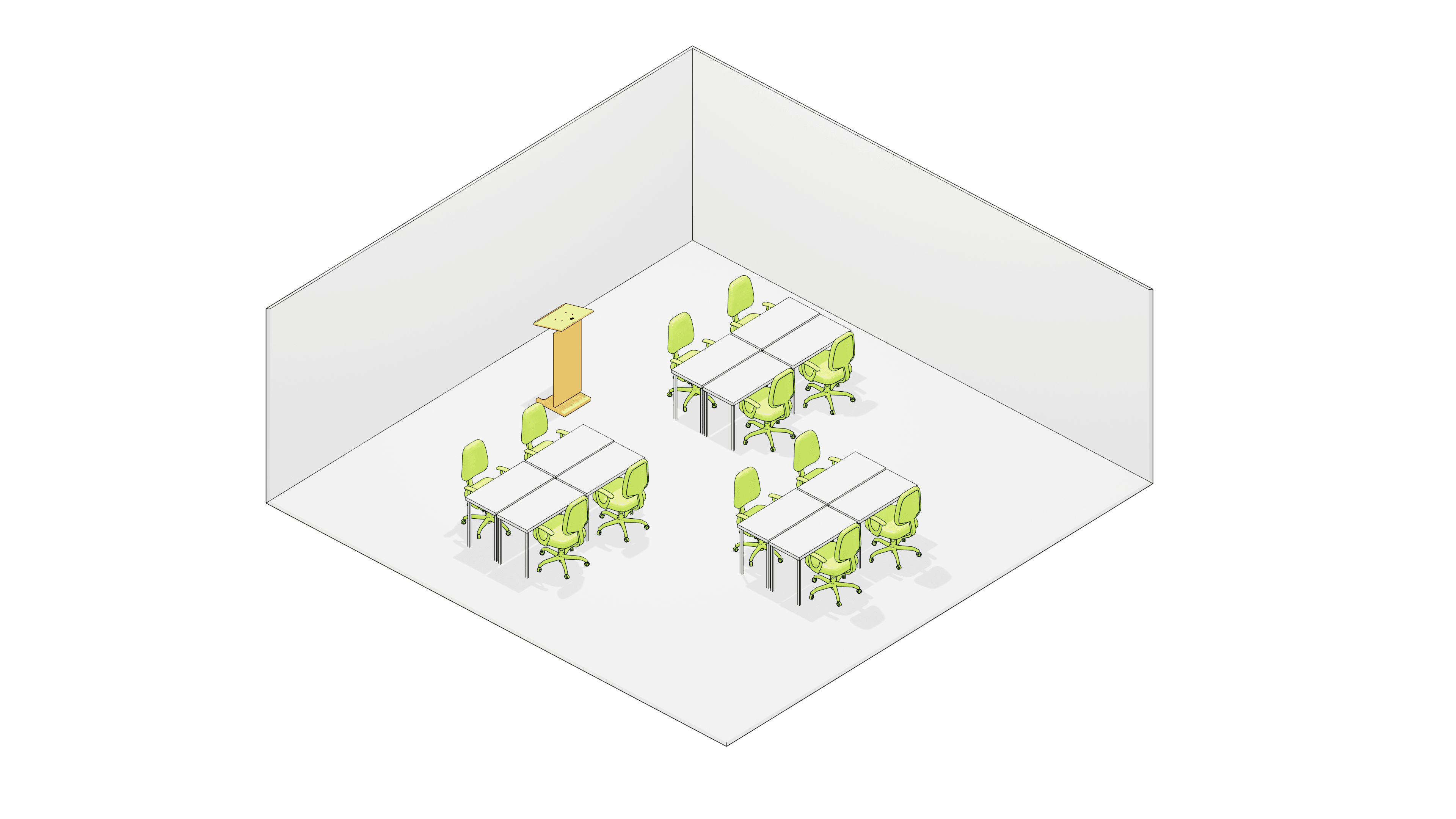
Teams break off into groups and collaborate on research.
03 Fishbowl

Students in the inner circle debate, while outer listens.
SOLUTION 5/5
Class Begins
In class, Dr. Bennett's timeline stays on the left, keeping her on schedule and letting her switch activities easily. Switching to group layout auto-seats students, which she can then rearrange as needed.
REFLECTIONS
01 The Friction of Chatting
A chat box is personable but introduces friction: typing, reading, and waiting. User testing surfaced that users got stuck chatting with the AI, talking back and forth and ignoring the 'Next' button.
Breaking the flow into step-by-step, clickable interactions cut that friction and got people moving through the tool again.
02 The Value of a Team
As sole designer on this project, I was both researcher and designer. It was valuable experience doing both halves of the work. But I learned how challenging it is to do this kind of work in a vacuum.
I value the back-and-forth of working alongside other designers and researchers, and having a shared sense of purpose with a team.
LIVE PROTOTYPE
Try it yourself!
DESK RESEARCH SOURCES
¹ Van Wart, M., McIntyre, M., Zhang, J., Medina, P., Ni, A., & Njualem, L. (2025). The Perceived Importance of Active Learning Techniques in Online STEM Courses. Computers and Education Open. https://www.sciencedirect.com/science/article/pii/S2666557325000680?via%3Dihub
² Basdogan, M. & Birdwell, T. (2023). Faculty Transition Strategies from In Person to Online Teaching. Online Learning, 27(1). https://doi.org/10.24059/olj.v27i1.3229
ACKNOWLEDGMENT
Thank you Colin Gray, Elizabeth Boling, Kennon Smith, Spencer Steenblik, Max Fertik, Kevin Acosta, Kelly Scholl, and Zach Carnagey for taking the time to talk with me about your experiences with online teaching and course design.
And thank you Marty Siegel for mentoring me and offering your wisdom and guidance throughout the process.